Never be offline abroad again
eSIM plans that work in 190+ countries. Scan a QR code and connect in seconds. No physical SIM, no shipping, no airport queues.
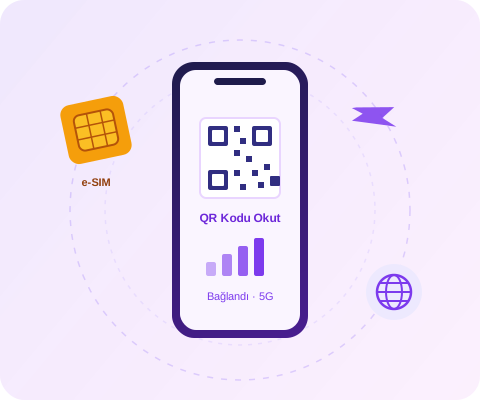
Buy an eSIM in 3 Steps
No registration required. The whole process takes less than 2 minutes.
Choose Your Plan
Pick your destination country from the flags and choose the plan with the right amount of GB and days for you.
Pay Securely
Pay by credit card with 3D Secure. Your QR code arrives in your inbox within seconds.
Scan the QR Code
Scan the QR code in your phone's settings to add the eSIM to your device. Connect automatically when you arrive.
What Is an eSIM?
An eSIM (embedded SIM) is a digital SIM card built into your phone at the factory. Instead of inserting a physical card, the plan you purchase is installed on your phone in seconds via a QR code.
For trips abroad, an eSIM is the most practical alternative to expensive roaming bills and airport SIM card queues: you set up your plan before even leaving Turkey and connect to the local network the moment you land. Your Turkish number and WhatsApp account keep working as usual.
- No physical SIM card or waiting for shipping — instantly in your inbox
- Your current number stays in your phone, so you use two lines at once
- 5G/4G speed on the local operator's network, with no roaming fees
- You can store multiple eSIM profiles on a single phone
Travel Friendly
Connect as soon as you step off the plane — your taxi and map apps are ready to go.
High Speed
5G/4G internet on the local network of the country you visit.
Great Value
Far cheaper than roaming plans and airport SIM prices.
24/7 Delivery
Buy even at midnight — your QR code lands in your inbox within minutes.
How to Install an eSIM
A Wi-Fi connection is all you need for setup. We recommend scanning the QR code at home before you travel — on most products, plan validity starts with your first connection in the destination country.
iPhone (iOS)
- 1Go to Settings → Cellular (Mobile Service) → Add eSIM.
- 2Choose "Use QR Code" and scan the QR code sent to your email.
- 3Give the new line a label like "Travel"; keep your main line as primary.
- 4When you arrive in your destination country: turn on "Data Roaming" for the eSIM line and select the eSIM as your cellular data line.
Android (Samsung, Pixel, etc.)
- 1Go to Settings → Connections → SIM Manager → Add eSIM.
- 2Tap "Scan QR Code" and scan the QR code sent to your email.
- 3Activate the downloaded eSIM profile; keep your main line as primary for calls.
- 4In the destination country: select the eSIM for mobile data and turn on data roaming for the eSIM line.
💡 To check whether your device supports eSIM, dial *#06# — if an EID number appears in the list, your phone is compatible.
Stay connected with your family in the holy lands
Saudi Arabia eSIM plans that work in Mecca, Medina and Jeddah. Set up before even leaving Turkey, and make WhatsApp video calls the moment you land. 1 GB plans start at affordable prices, with hotspot sharing supported for groups.
Explore Umrah & Hajj Plans →
Frequently Asked Questions
What is an eSIM?+
An eSIM (embedded SIM) is a digital SIM card built into your phone. Without inserting a physical card, you add your purchased plan to your line in seconds by scanning a QR code. Your existing number and SIM card keep working as usual.
Does my phone support eSIM?+
All iPhone models from the iPhone XS / XR onward, Samsung Galaxy S20 and later, Google Pixel 3 and later, and many mid-to-high-end phones released in recent years support eSIM. To be sure, dial *#06# on your phone; if an EID number appears in the list, your device is eSIM compatible.
When does the eSIM become active?+
Your QR code is sent to your email address as soon as your payment is confirmed. You can set it up right away; on most plans, validity starts when you first connect in the destination country. This lets you comfortably complete the setup before you travel.
What happens to my current number and WhatsApp account?+
Nothing changes. The eSIM only provides internet access; your Turkish number stays in your phone, and your WhatsApp account keeps working with the same number. You can even keep your Turkish line on for SMS verification codes (just turn off data roaming so it does not inflate your bill).
Does the eSIM come with a phone number?+
eSIM plans include data only — no separate phone number is provided. You can make calls over the internet via WhatsApp, FaceTime or Telegram, which is already the most economical option abroad. Since your Turkish number stays in your phone, you can still receive regular calls and SMS (at your operator's roaming rates).
Do I need to configure APN settings?+
No. eSIM profiles come preconfigured; after scanning the QR code, your phone automatically connects to the best local network. No technical knowledge required.
Can I share my internet (hotspot)?+
Yes, the vast majority of plans support hotspot/internet sharing. With a single eSIM you can share internet with the family members next to you. It is ideal for Umrah and Hajj groups where several people connect through one plan.
What if I lose the QR code?+
Your QR code is sent to your email address and is also displayed on the success page after payment. If you deleted the email, you can request it again from our customer support (WhatsApp support line).
Which plan should I buy for Saudi Arabia (Umrah/Hajj)?+
For a typical 10-15 day Umrah trip, the 5 GB or 10 GB plans are sufficient. For video calls and heavy social media use, we recommend the Unlimited plans. They work on local 5G/4G networks across all of Saudi Arabia, including Mecca, Medina and Jeddah.
Can I get a refund or make changes?+
For eSIMs that have not yet been installed (QR code not scanned), you can contact our support line. Once a plan has been installed and used, operator rules do not allow refunds.
Have another question? Contact us — our WhatsApp support line is available 24/7.